


Blue Green Blast Tutorials Removed From Squidoo
As many people may know by now, Squidoo has made recent changes to it’s content policies. More information can be found on the policy update page. Because of the new changes, some of my lenses have been locked, including the follow-ups to the Fancy Web Layout Gimp tutorial. Read More…
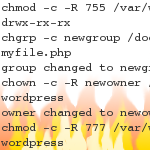 Upon installing LAMP and WordPress 3.3 on my local computer, I ran into a couple issues when trying to put my own previously created themes into the wp-content/themes directory. Mainly, it was the “Connection Information” screen that may pop up when installing a theme, not being able to access the /themes directory and the Manage Themes screen not recognizing themes once I had access. This article describes how I researched then remedied those.